Remove Text from Images Instantly: Erase text, captions, and watermarks for free
Erase unwanted text from your photos in seconds. With ImgGen's AI tool, you can erase text from pictures, delete captions from images, and clean up any text on pics.


AI Text Remover from Image Use-Cases
- For Image Editing
- Remove text from photos easily. Erase unwanted words, captions, or watermarks to clean up images for professional use.
- For E-Commerce
- Enhance product photos with our text remover. Delete labels or watermarks to showcase items clearly and boost sales.
- For Mockups
- Create perfect mockups by removing text from images online. Ideal for designers and marketers presenting concepts.


Erase Text from Images Without Damaging the Background
ImgGen’s AI-powered text remover lets you erase unwanted words, captions, or watermarks from any image while preserving the original background. Simply upload your photo, select the text you want gone, and watch it disappear instantly. Perfect for cleaning up marketing materials, social media posts, or personal photos without losing image quality.


Remove Words from Pictures to Enhance Your Images
Want to know how to remove words from a picture? Our easy-to-use tool lets you erase unwanted text, overlays, and signs that distract from your image's impact. Simply upload your picture, select the text you want gone, and watch it disappear. Clean up stock photos, update old visuals, or refresh user-generated content in seconds.
How to Erase Text from Images in 3 Easy Steps
Remove text from images in just a few simple steps.
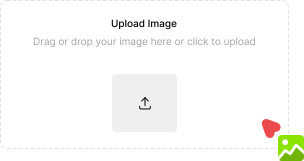
- Upload Your Image
- Click "Upload Image" or drag & drop your picture.
- Remove and compare result
- Click "Remove Text Now" to erase text from the image. Compare results instantly.
- Save Image
- Click "Download" to save your text-free image in high quality.


More Tools for Your Creativity
Discover more AI-powered tools to enhance your creative process.