What is AI face enhancement?
AI face enhancement uses deep-learning models to automatically improve portrait photos — smoothing skin, removing blemishes, sharpening facial features, and boosting resolution. Unlike manual retouching, the AI detects faces and applies natural-looking corrections in seconds, preserving your authentic appearance instead of over-processing it.
Looking for a different fix? Use the Unblur Image tool for motion blur, the AI Photo Enhancer for whole-photo quality, the AI Image Upscaler to increase resolution, or Image Restoration for old, damaged photos.
- $0Free, no watermark
- ~15 secAverage enhance time
- 10 MBMax upload size
- JPG · PNG · WebPSupported formats
How to Enhance a Face in a Photo?
Sharpen and restore faces online in just a few simple steps.
Upload Your Portrait
Upload your photo with a face — JPG, PNG, or WEBP files up to 10 MB.
AI Enhances the Face
Our AI detects the face and automatically restores sharp, natural facial detail.
Download Your Photo
Download your enhanced portrait in high quality. It's that simple!
The Powerful Face Enhancement Tool You Need
ImgGen AI highlights your best features while preserving your natural look — from subtle skin smoothing to sharper eyes and facial detail.
One-Click Skin Perfection
Instantly smooth skin and remove acne, wrinkles, spots, and blemishes with advanced AI-powered facial retouching — no manual editing required.
Intelligent Face Enhancement
Our AI detects facial features and enhances eyes, skin texture, and facial shape while preserving your natural, authentic look.
Boost Resolution & Clarity
Fix blurry, low-light, or low-resolution face photos. The AI restores sharp detail and crisp clarity to every portrait.
Natural, Realistic Results
Subtle enhancement that brings out your best features without the over-processed, artificial look — you, on your best day.
Old & Scanned Photo Restoration
Revive faded, grainy, or scanned family photos. The AI reconstructs soft facial detail so vintage portraits look sharp again.
Works on Any Device, Free
Enhance faces from your phone, tablet, or desktop right in the browser — no install, free to start, and no watermark on results.
Bring blurry faces back to life
Blurry, low-resolution portraits can ruin your best memories. Our AI face enhancer reconstructs facial features — eyes, skin, and expressions — so faces look clear and natural again.
Perfect for old family photos, profile pictures, and group shots — recover sharp, detailed faces without any complicated editing.
Enhance a Face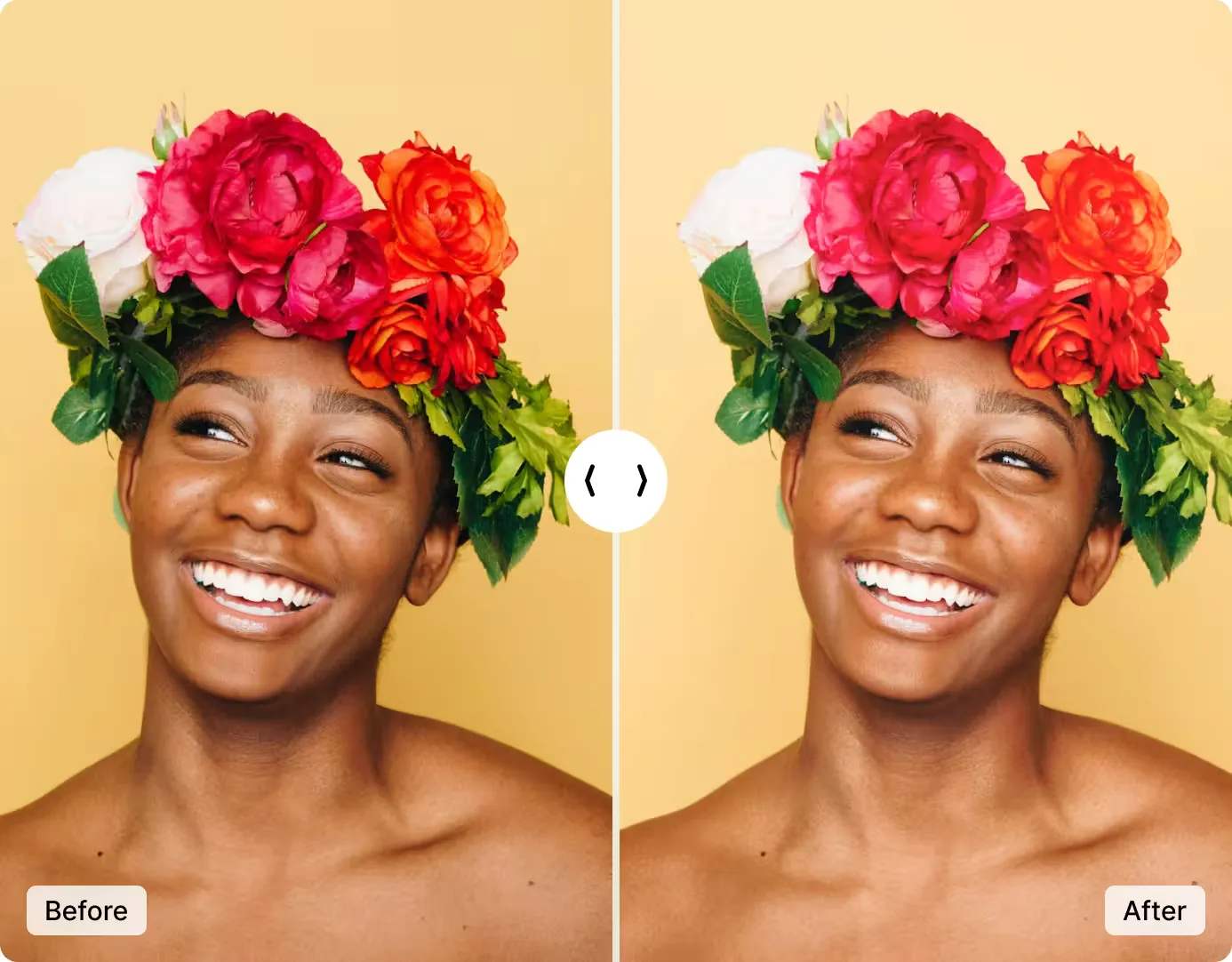
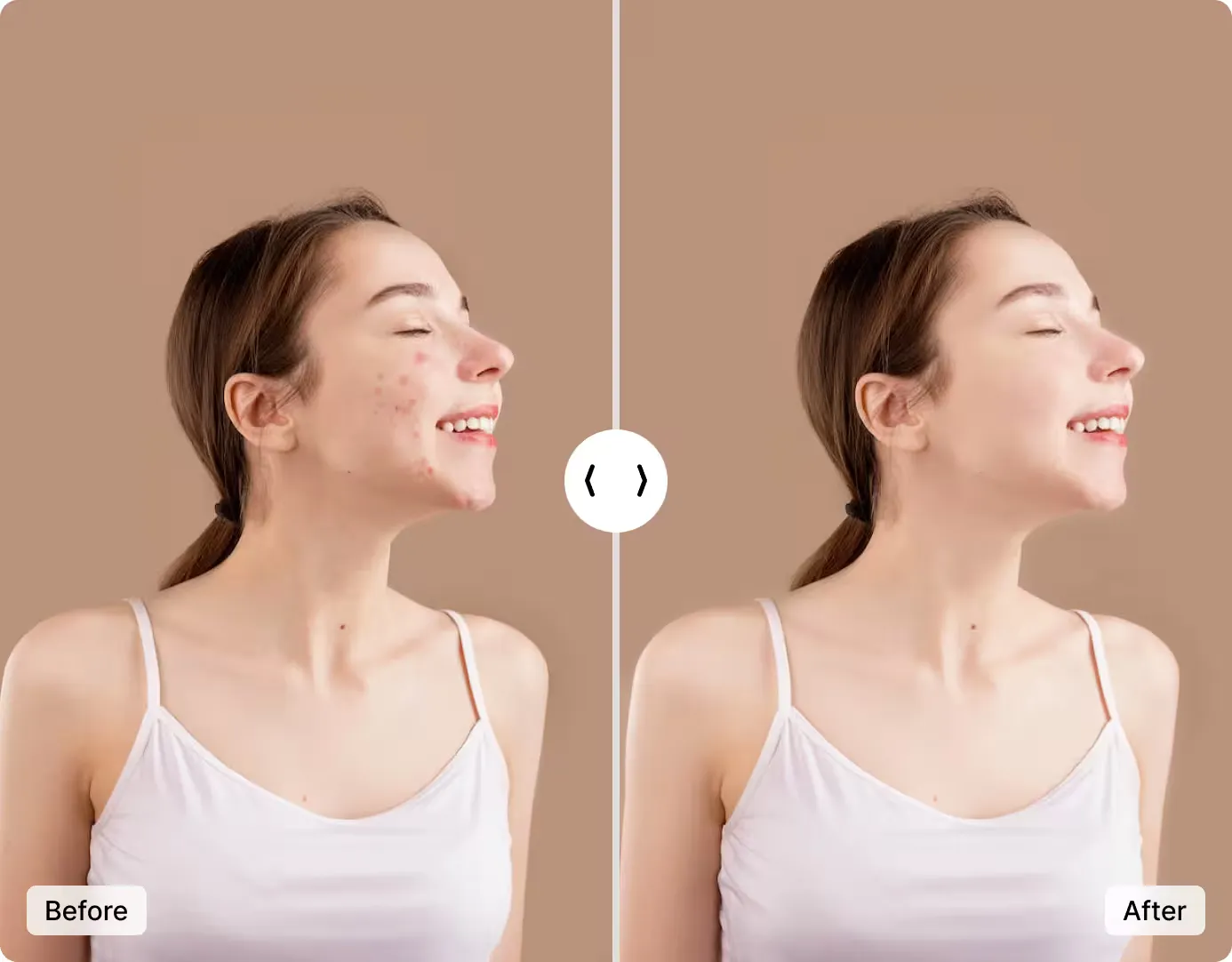
Natural, Realistic Facial Detail
Our advanced AI restores faces without making them look artificial. It rebuilds fine facial details while keeping expressions and features authentically yours.
Get crisp, lifelike portraits that look professionally captured — perfect for profiles, prints, and cherished memories. No skills, no software, free to start.
Enhance Face NowMore Tools for Your Creativity
Discover more AI-powered tools to enhance your creative process.